
Widex Allure
What do you need help with?



Bluetooth Support
Need bluetooth support for your Widex hearing aids? Here are some resources to help with common bluetooth questions.
Hearing Aid Apps
What you can do with the Widex Allure App
Streaming & Audio
- Stream calls, music, and more directly to your hearing aids
- Adjust the balance between the stream and your surroundings
Sound Customization
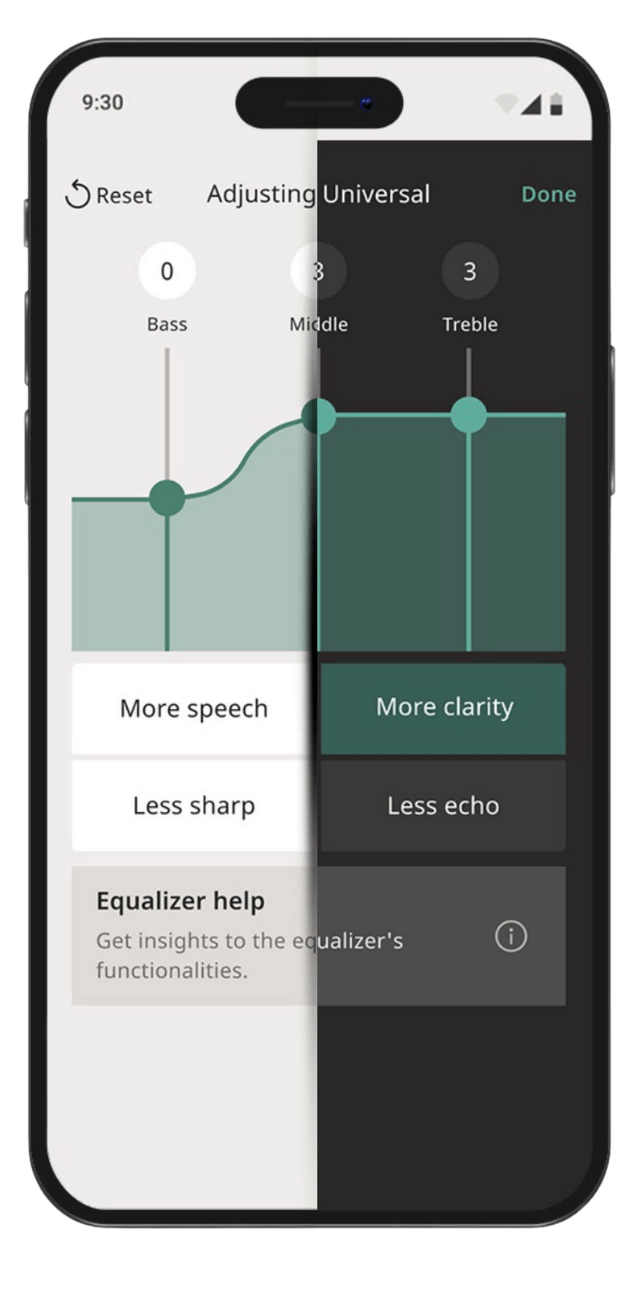
- Adjust bass, midrange, and treble frequencies to optimize sound in challenging situations
- Customize sound for specific situations where you're struggling to hear
AI Assistants
- Use the AI Quick Assistant for instant sound recommendations based on other users' preferences in similar surroundings
- Use the AI Sound Assistant to create personal sound settings for a specific situation
Device Control
- Control your hearing aids via Apple Watch
- Adjust volume, change programs, and check hearing aid battery status from your watch
Accessibility Features
- Adjust text size on the app
- Switch between light and dark mode for better visibility
Support & Help
- Watch how-to video guides
- Easily access information to solve any issues you may experience
- Track and find misplaced hearing aids
Video Tutorials
How to pair your Widex hearing aids to an iPhone
How to pair your Widex hearing aids to an Android
How to take a call using Widex hearing aids and an iPhone
How to take a call using Widex hearing aids an Android phone
How to stream music using Widex hearing aids and iPhone
Widex Maintenance Video
How to change the filter on BTE Hearing Aids
How to change the battery on BTE Hearing Aids
How to clean BTE Hearing Aids
Hearing Aid FAQs
Widex provides several tone options with different characteristics—some with slower, calming rhythms and others with faster tempos. There's also a gentle noise option. Your hearing care professional can help you try different tones to find which one provides the most relief.
Widex is a pioneer in using fractal-based therapeutic tones for tinnitus management. Their Zen program has been helping people manage tinnitus for years, making them a trusted choice for those dealing with ringing or buzzing in their ears.
Yes, Widex provides remote care services, allowing your audiologist to make adjustments to your hearing aids remotely. This means you can address hearing concerns from the comfort of your home without needing to visit the clinic.
You can stream TV audio to your Widex hearing aids using the TV Play or TV Play 2 accessories. Check with your hearing care professional to confirm which accessory is compatible with your specific hearing aid model.
Accessory compatibility depends on your hearing aid platform:
Widex Allure: TV-Play 2 and RC2-DEX
Widex Moment: TV-Play 2, TV-Play, Sound Assist, SoundConnect, Com-DEX, Phone DEX 2, and RC2-DEX