
Signia MaX
What do you need help with?

Bluetooth Support
Need bluetooth support for your Signia hearing aids?
Hearing Aid Apps
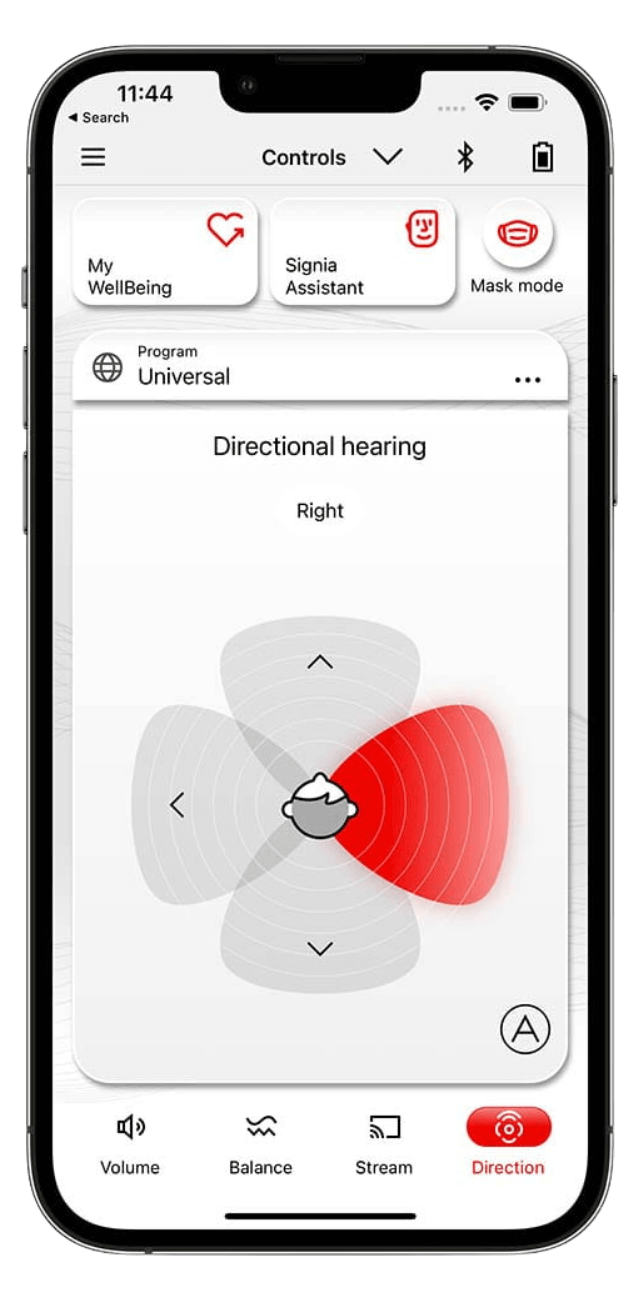
What you can do with the Signia App
Real-Time AI Support
- Use the Signia Assistant for 24/7 support
- Get help with sound customization and troubleshooting
- Receive continuous support to personalize settings to your preferences
Sound Adjustments
- Adjust settings to your hearing needs
- Make every conversation count with personalized controls
- Customize your hearing experience on the go
Mobile Control
- Use the user-friendly mobile app to manage your hearing aids
- Control volume and program changes
- Access features directly from your smartphone
Video Tutorials
How to pair Signia hearing aids to an iPhone or iPad
How to pair Signia hearing aids to an Android smartphone
How to pair and stream with TV Sound
How to pair the miniPocket remote control with your hearing aid
How to use CallControl with Pure Charge&Go AX and Pure 312 AX hearing aids
How to use CallControl with Styletto AX hearing aids
How to use CallControl with Active Pro IX
How to use HandsFree for iOS
How to clean a rechargeable hearing aid
Charging hearing aids with the Pure Charger
Charging hearing aids with the Pure Portable Charger
Charging hearing aids with the Pure Dry&Clean Charger
How to charge the Styletto AX Charger
How to charge Insio Charge&Go AX
How to Replace Signia Wax Filters
Hearing Aid FAQs
Streaming depends on your hearing aid model and device:
Apple computers: Some Signia hearing aids can stream directly from compatible Mac computers. Check Apple's support page to see if your Mac is compatible.
Other devices: Most Signia hearing aids can only stream audio from devices that support specific protocols (Apple MFi, Android ASHA, or LE Audio). Your hearing aids may detect other Bluetooth devices, but audio won't stream unless the device uses one of these compatible streaming protocols.
Signia IX hearing aids: If you have Signia IX with firmware version 25.5.972.3 or newer, you may be able to stream from devices that support LE Audio.
For the best streaming experience with your TV, consider using a Signia StreamLine TV accessory, which is designed to work seamlessly with your hearing aids.
Signia Assistant is an AI-powered feature that provides 24/7 support for customizing your hearing aid sound settings and troubleshooting issues. You can access Signia Assistant directly through the Signia app on your smartphone, allowing you to make real-time adjustments based on your preferences without needing to visit your hearing care professional for minor changes.
The Signia app works with all Signia hearing aids except the Fun and Fast models.